네이버 - NAVER
- 3.5
- Rating
- 100.00M
- Installs
- Free
- Price

 Analysis by App-foxy
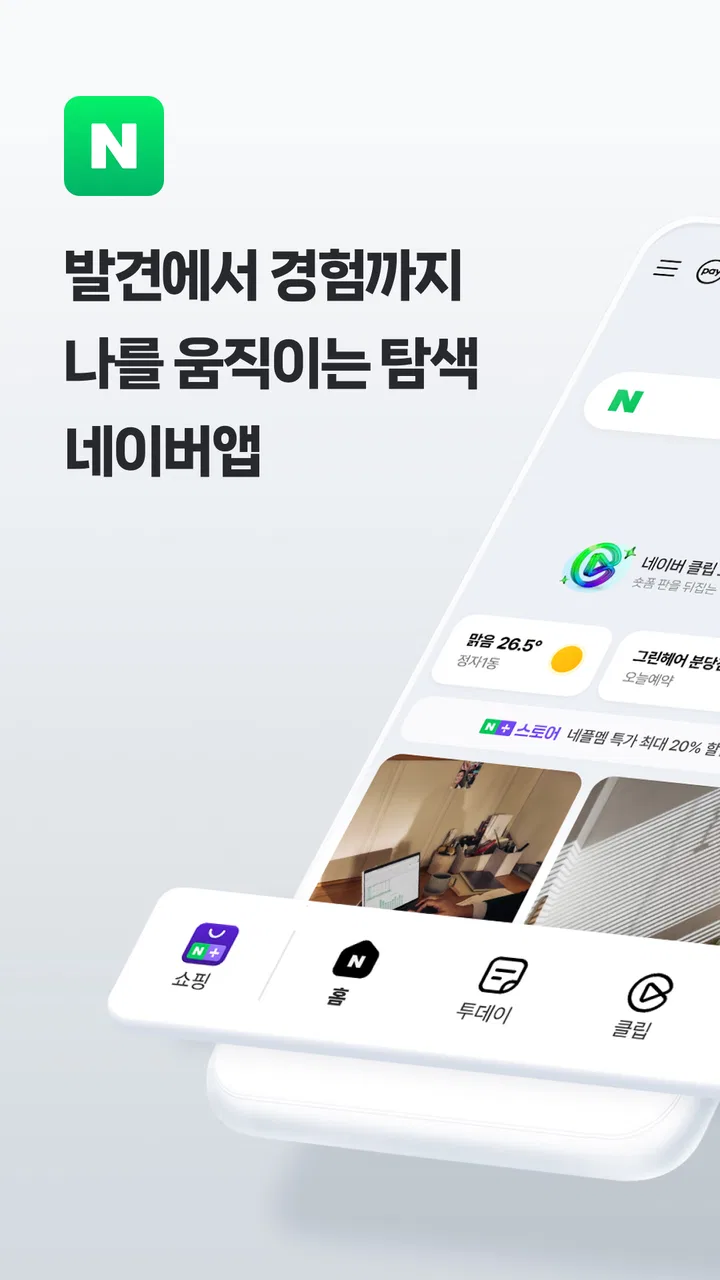
When I open 네이버, I am not thinking of it as a simple search box. I use it more like a busy front door to Korean web content, reference material, news, services, and everyday lookups. That broad role is exactly what makes the app useful, but it also explains why the experience can feel more crowded than a minimalist search alternative. NAVER Corp. has built this free Books & Reference app for people who want several kinds of information gathered in one place, rather than a stripped-down tool focused on one task.
My first impression is that the app is aimed at users who already understand the Naver ecosystem or regularly need Korean-language results. The interface presents more possibilities than a conventional search app, so the learning curve is not really about finding the search field; it is about learning which service or result type is best for the question I am asking. Once that becomes familiar, the extra depth starts to feel practical instead of distracting.
It is available for everyone, and its free price removes the usual commitment barrier. The app has been around since February 2010, which gives it the feel of an established mobile service rather than a new experiment. With over 100 million installs, it is clearly used at a very large scale, although a 3.5 average from around 548 thousand ratings suggests that popularity does not automatically mean every user finds the experience equally smooth.
You May Also Like

 AccuWeather: Weather Radar
AccuWeather Review: A Quick, Clear Forecast for Everyday Decisions
For everyday plans, the best forecast is the one you can understand quickly. AccuWeather makes rain timing, radar, and local conditions easy to act on, with a few trade-offs.

 Hill Climb Racing
Why Hill Climb Racing Still Turns Crashes Into One More Run
A tiny car, a bumpy hill and one more upgrade: Hill Climb Racing keeps resurfacing because its simple chaos makes every near-miss feel personal.

 AliExpress - Shopping App
AliExpress Makes Global Shopping Feel Personal, but Shoppers Bear the Risk
AliExpress turns a global marketplace into a pocket-sized discovery engine. Its reach is useful, its shopping loop compelling, and its trade-offs easy to miss.

 Lords Mobile: Kingdom Wars
Lords Mobile Is a Kingdom-Building Routine, Not a Quick Match
A case-by-case verdict on the building, battles, device demands, and social commitments that make Lords Mobile rewarding for some players and exhausting for others.

 PDF Scanner app - TapScanner
TapScanner Makes Paperwork Easier to Capture, Check, and Share
TapScanner makes scanning with a phone feel less like a rescue operation and more like a dependable step in getting work done. Its capture tools are useful, though not flawless.

 Block Blast!
Block Blast! Shows How Much a Puzzle Game Can Leave Out
A quiet grid game shows why puzzle players increasingly value instant clarity, repeatable skill and low-pressure play—and where the genre still needs to catch up.
More From Our News Desk
View All News


How fast it feels during ordinary searches
For a quick lookup, I expect NAVER to feel responsive enough to support the way people actually use a phone: type a phrase, scan suggestions, open a result, and move on. The most important speed advantage is not necessarily a dramatic loading effect. It is the reduced need to jump between separate services when my question touches several kinds of information. A search can lead me toward reference content, articles, or other Naver services without making me rebuild the query from scratch elsewhere.
That convenience is especially noticeable when I am searching in Korean. The app feels more naturally aligned with Korean queries than a general international search tool, where results may be technically relevant but less connected to the local web experience. If I were helping a friend choose a search app for Korean websites, this would be one of the first options I would mention.
Speed expectations should still be realistic. NAVER is a broad portal-style app, not a tiny utility with one screen and one job. More content, service choices, and visual elements can make the first interaction feel busier than a plain browser search. I would not choose it solely because I want the most visually restrained or distraction-free search experience. Its strength is breadth, and breadth naturally asks me to process more on the screen.
A useful habit is to decide what I want before opening the app. If I only need a single word definition, a dedicated dictionary may feel more direct. If I want to explore Korean results, compare several sources, or move from a search into related Naver content, this app earns its place. The practical speed gain comes from fewer context switches, not from turning every search into an instant answer.
Why the first search can feel different from the next one
My experience with a large information app is usually better after I have learned its rhythm. The first search is often exploratory: I look at the available results and notice which sections are useful to me. Later searches become faster because I know where to look and which results to ignore. That is an important distinction for new users. Someone expecting a single-purpose reference tool may initially see clutter, while someone who regularly researches Korean topics may see helpful shortcuts.
I also find that search quality depends heavily on how specifically I phrase a request. A short, vague query can open several possible directions, while a more precise phrase helps me reach the relevant material sooner. This is not a flaw unique to NAVER, but the app’s wide scope makes query wording particularly important. I get the best results when I treat it as a discovery tool rather than merely a button for retrieving one fixed answer.
What happens during heavier use
The app becomes more demanding when I use it as a research companion instead of a quick lookup tool. Opening several result types, moving through long pages, and repeatedly refining searches creates a busier session than checking one reference entry. In those moments, the value is clear: I can keep following a topic inside the same broad service environment. The trade-off is that I have more navigation choices and more content competing for attention.
For a student, language learner, or reader researching Korean material, that broader workflow can be worthwhile. I might begin with an unfamiliar phrase, inspect reference information, compare how it appears in articles, and then return to search with a more precise wording. That process is more useful than a single isolated definition because it helps me understand context. It is also one of the app’s less obvious strengths: the search journey can teach me how a term is used, not just what it supposedly means.
There is a second trade-off during long sessions. A portal-style app can encourage me to keep exploring after I have already found enough information. I may open another result, then another service, and lose the original purpose of the search. I recommend setting a clear goal before starting a research session. For example, I might decide that I need a definition, two contextual examples, or a source to read later. That small discipline makes the broad feature set feel more efficient.
Another realistic use case is planning a day around Korean content. I could use the app to look up a place, check related written information, and investigate unfamiliar terms without constantly switching to unrelated apps. I would not claim that this replaces every specialist service, but it can reduce friction for ordinary discovery. The benefit is strongest when the task involves several connected questions rather than one isolated fact.
A workflow I would recommend for learners
If I were recommending NAVER to someone learning Korean, I would suggest using it in stages. First, search the phrase exactly as encountered. Next, inspect the surrounding context instead of relying only on an automatic translation or a short definition. Finally, save the useful wording in personal notes outside the app if I expect to study it again. This approach turns a quick search into a repeatable learning routine and avoids the common mistake of forgetting a term immediately after looking it up.
The limitation is that the app does not automatically solve the difference between understanding a translation and understanding natural usage. I still need to judge context, tone, and source quality. For basic discovery, NAVER is helpful; for formal academic research, I would verify important claims through authoritative sources. That is a sensible boundary for any large search platform, and it matters even more when results come from many kinds of pages.
Stability and recovery when a session goes wrong
A service that has been available since 2010 and has passed the 100 million-install mark feels like a mature choice to me. That history and reach create confidence that the app is intended for regular, everyday use. Still, a large user base is not a guarantee that every screen will behave perfectly on every phone. The 3.5 average rating is a useful reminder to keep expectations balanced: the app is widely adopted, but the experience can be uneven depending on what a person wants from it.
In practical use, I judge reliability by whether I can recover quickly when a search does not lead where I expected. NAVER’s broad search model helps because I can usually revise the wording, choose another result type, or return to the main search rather than abandoning the task. That makes a disappointing result less final. The app works best when I treat it as an interactive path through information, not as an authority that must produce one perfect response on the first attempt.
Long sessions also benefit from a simple recovery habit: keep the original search phrase in mind before opening a result. If a page takes me away from the question, I can return and refine the query rather than trying to reconstruct it from memory. This sounds minor, but it is valuable in a busy app where several related paths may appear at once.
I would be more cautious about relying on it as my only source for important decisions. Search results can be useful starting points, but they still require judgment. For casual reading, language exploration, and everyday reference, the app is convenient. For medical, legal, financial, or academic conclusions, I would use it to find material and then confirm the details with a trusted primary source.
When the app feels reliable enough for daily routines
For repeated low-stakes tasks, I find the app easier to recommend. Looking up a term, exploring Korean writing, checking a topic, or following related reading are all situations where a broad search service earns its keep. The free price also makes it easy to keep installed even if I use it alongside another search tool. I do not have to make it my only option to benefit from its strengths.
That “alongside” approach is important. I might use NAVER for Korean-focused discovery and another service for a more minimal interface or a different regional index. This is not a weakness in itself; it is a realistic way to use modern mobile tools. NAVER becomes the specialist in my personal toolkit when the language and ecosystem match my needs.
Device limits, attention, and everyday comfort
Because this is a broad mobile app rather than a single-purpose reader, I would pay attention to how comfortable it feels on my particular phone. On a newer device, the extra content and navigation choices are easier to handle. On an older or more constrained phone, I would be more selective about keeping searches focused and closing pages I no longer need. I cannot reduce the experience to one universal performance verdict because the workload changes so much between a quick lookup and a long browsing session.
My main concern is not only technical resources; it is also attention. A compact reference app asks me one question at a time. NAVER can present a larger information environment, which is useful when I want options but less comfortable when I am trying to concentrate. If I am reading for study, I prefer to open one relevant result and avoid wandering through unrelated sections. If I am casually exploring, the same variety becomes a benefit.
This is where the Everyone content rating is helpful for families and general users, but it should not be confused with a promise that every search result will suit every purpose. The rating describes the app’s broad audience suitability, while the content I encounter still depends on the query and the pages surfaced. I would guide younger users toward specific searches and sensible browsing habits rather than handing over an unlimited research session.
People with limited storage, battery, or mobile data should also think about how heavily they plan to use it. I would not install it merely for an occasional dictionary lookup if a smaller dedicated tool already meets that need. On the other hand, if I regularly search Korean content and use several related information services, keeping one broad app may be more practical than maintaining a collection of separate tools. The right decision depends on whether its range replaces enough app switching to justify its space and attention.
Who should choose a different option
I would point a user toward a dedicated dictionary if their only goal is vocabulary lookup, especially when they want a quiet interface with no temptation to explore. I would suggest a conventional browser or another search engine to someone who mainly wants a globally broad index or a familiar minimalist layout. I would also recommend specialist research databases for serious academic work, because a general portal should not be treated as a substitute for source evaluation.
Conversely, I would not ask a Korean-language learner to judge NAVER solely by the standards of a simple English search app. Its appeal is tied to the kind of content and discovery path it offers. The more my searches connect to Korean wording, local web material, and Naver’s wider services, the more sense the app makes. Without that connection, its extra breadth may feel unnecessary.
My performance verdict after regular use
I see NAVER as a capable, established reference and search companion whose performance is best understood through workload. Quick searches should feel more efficient once I know where to look, while heavier research sessions benefit from the app’s breadth but demand more attention. I would not describe it as a pure speed champion or a perfectly streamlined utility. Its design is built around access to many kinds of information, and that naturally creates both convenience and visual complexity.
The strongest reason I would recommend it is the way it supports connected searching. A vague question can become a more informed query, a word can be understood through context, and a Korean-language research task can stay inside one familiar environment. Those are meaningful advantages that a generic store summary would not reveal. The most useful tip is to approach each session with a goal, because the app rewards intentional browsing and can easily become a rabbit hole.
My honest conclusion is that this free app deserves a place on the phone of anyone who regularly searches Korean content or wants a broad Naver-centered information experience. Its long availability, wide adoption, and Everyone rating make it approachable, while the 3.5 average from around 548 thousand ratings suggests I should allow for personal differences in comfort and expectations. I would keep a second search or reference option for specialist needs, but I would recommend NAVER to a friend who values depth over minimalism.
If your priority is a tiny, focused tool that answers one type of question with almost no navigation, this is probably not the right choice. If you want a flexible starting point for Korean searches, contextual reading, and everyday discovery, it is much more convincing. My final view: use NAVER as a broad research doorway, not as the only authority and not as a replacement for every specialist app.
FAQs for 네이버 - NAVER
01What is 네이버 - NAVER and what features does it offer?
네이버 - NAVER is a comprehensive search engine and portal app primarily used in South Korea. It offers a wide range of features including web search, news updates, weather forecasts, and access to various services such as NAVER Mail and NAVER Calendar. Additionally, it integrates with NAVER’s digital payment service and provides personalized content recommendations.
02Is 네이버 - NAVER available in languages other than Korean?
While 네이버 - NAVER is primarily designed for Korean users and thus predominantly in Korean, some services within the app may offer English or other language support. However, for full functionality and ease of use, proficiency in Korean is recommended to fully enjoy what the app has to offer.
03How secure is the 네이버 - NAVER app regarding personal information?
네이버 - NAVER employs robust security measures to protect user data. It utilizes encryption and offers features such as two-factor authentication to enhance security. Users are encouraged to regularly update the app and follow recommended security practices to keep their accounts safe.
04Does 네이버 - NAVER have any in-app purchases or subscription fees?
네이버 - NAVER is free to download and use. However, some services within the app, like NAVER's premium content or cloud storage options, may require in-app purchases or subscriptions. Users can enjoy the basic features without any cost, but premium features offer enhanced functionality.
05Can I customize the interface and notifications in 네이버 - NAVER?
Yes, 네이버 - NAVER offers a range of customization options. Users can personalize their home screen, select preferred news topics, and manage notification settings to tailor the app to their individual preferences. This flexibility allows for a more personalized user experience.
Pros
- Comprehensive search features.
- User-friendly interface design.
- Wide range of services integrated.
- Frequent updates and improvements.
- Strong focus on security.
Cons
- Some features are Korea-specific.
- Can be resource-intensive.
- Occasional ads within the app.
- Limited international support.
- Complexity may overwhelm new users.

네이버 - NAVER
Gallery